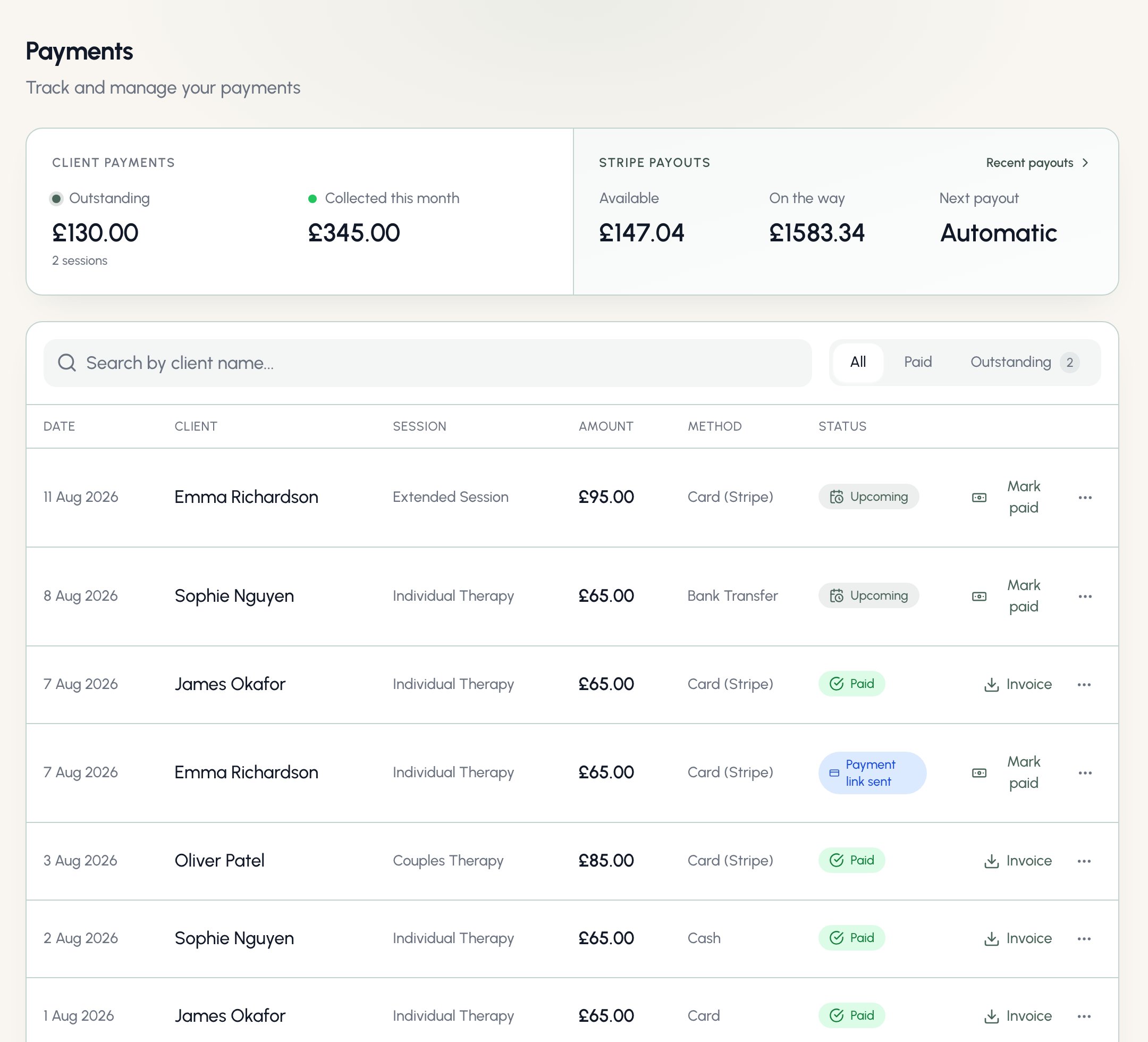
Payment statuses
The Method column shows how each session was - or will be - paid: Card (Stripe), Cash, or Bank Transfer. Settled sessions show how the money actually arrived; unpaid ones show how collection will happen based on the client’s payment method.
Recording a payment yourself
For bank transfer and cash clients, click Mark paid when the money arrives, choose how it was paid, and Bloom sends the client a receipt with the paid invoice attached. Card payments record themselves - never mark a card client paid by hand unless they genuinely paid another way, in which case Bloom stops any pending card collection for that session.If a client pays a link for a session you’d already marked paid, Bloom refunds the duplicate automatically and lets you know - nobody is ever charged twice.
Reminders and invoices
Unpaid sessions chase themselves gently:- The day-before session reminder tells card clients their card will be charged, link clients how to pay, and bank-transfer clients where to send the money.
- The day after an unpaid session, a payment reminder goes out with the invoice attached - and a payment link for clients on a card or link method.
- Need to nudge sooner? Use Send reminder (or Resend payment link) from the row’s menu.
Refunds
For card payments, choose Refund payment from the row’s menu - full or partial, back to the same card, with a confirmation before anything moves. The row flips to Refunded once Stripe confirms it. Refunds for cancelled pre-paid sessions happen automatically. Manual payments keep the existing Void action instead - nothing moves in the real world; Bloom just reopens the fee.When clients pay a link
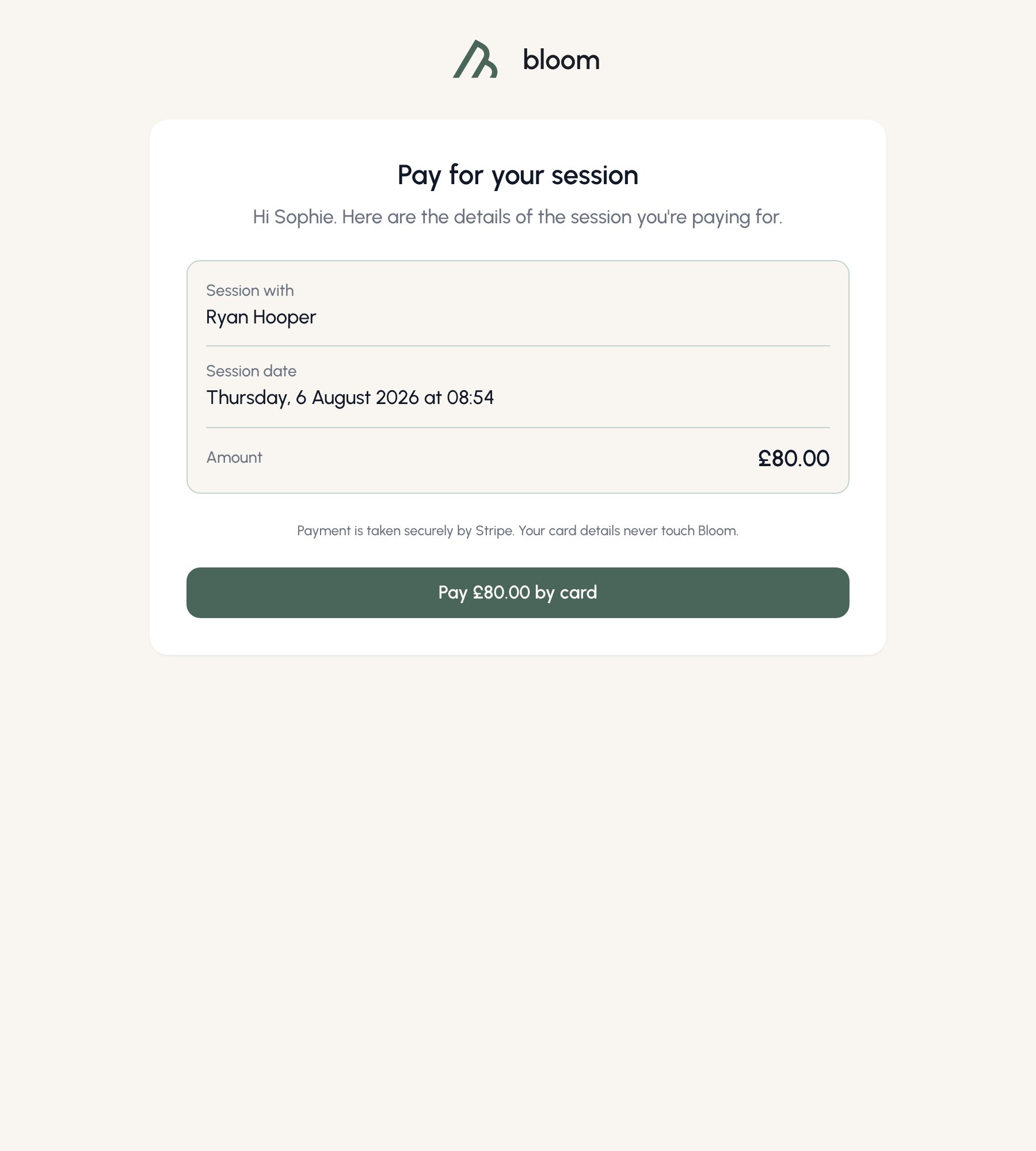
Payment links open a simple page showing the session, the amount, and a Pay by card button that hands the client to Stripe’s secure checkout - Bloom never sees their card details.